

Insights ·
Introducing Our Upcoming On-Board Courier App
OBC Mission Control is the app AAT Forwarding LLC is building for its on-board couriers, for Apple iPhone and Android. It is still in development and testing; here is a first look at what the test version already does.
In the Courier Portal. A person checks your documents before activation.
AAT Forwarding LLC is registered in Florida, USA. D-U-N-S number 143020074
In development and testing. OBC Mission Control is not yet available in the App Store or on Google Play. The screens on this page come from the current test version and show sample data.
An on-board courier works in many places within a few hours: at a pickup address, in airports, at border control and at a delivery address, often across several time zones. OBC Mission Control is the app AAT Forwarding LLC is building so that couriers have what each of these moments needs on one phone, and so that operations stays informed as the job goes on.
The app is being developed for both Apple iPhone and Android, from one shared code base, so couriers on either platform work with the same screens and the same steps. Test versions currently run on iPhone; the Android version is being prepared on the same basis.
Job offers at a glance
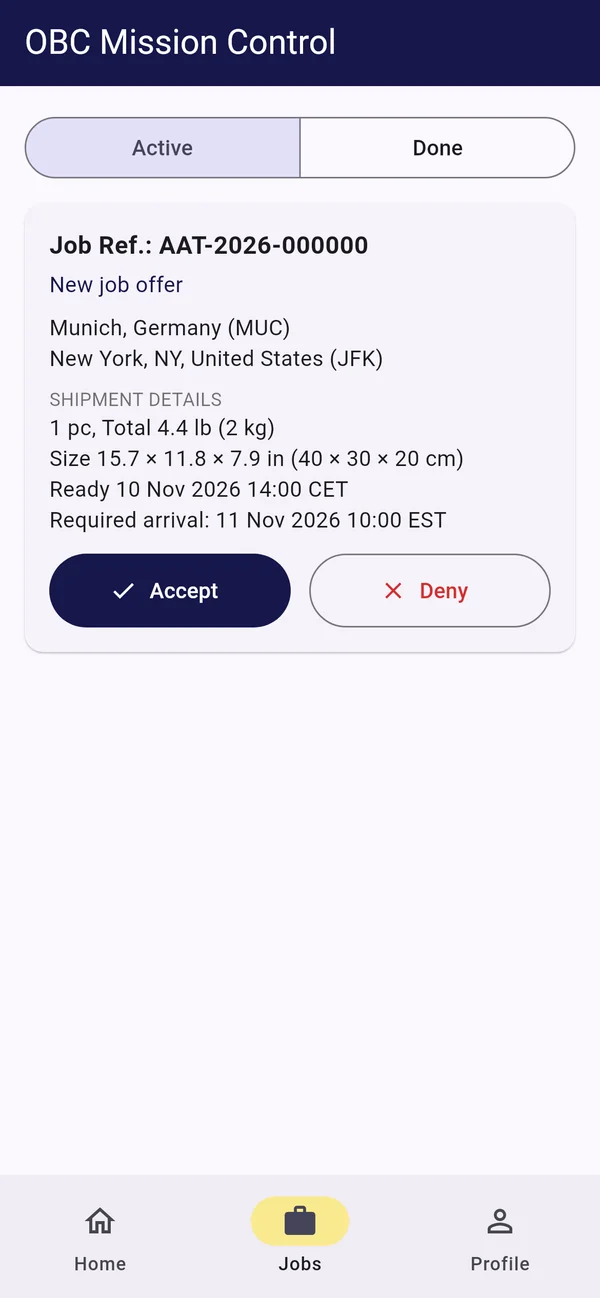
A job offer shows the route with its airports in words, for example Munich (MUC) to New York (JFK), together with the time the shipment is ready and the time it must arrive. Every time is given in the clock of its place, with the time zone named: 14:00 CET at the pickup, 10:00 EST at the destination. The courier accepts or declines the offer in the app. Current and completed jobs are kept apart, with open offers first.
The mission, step by step
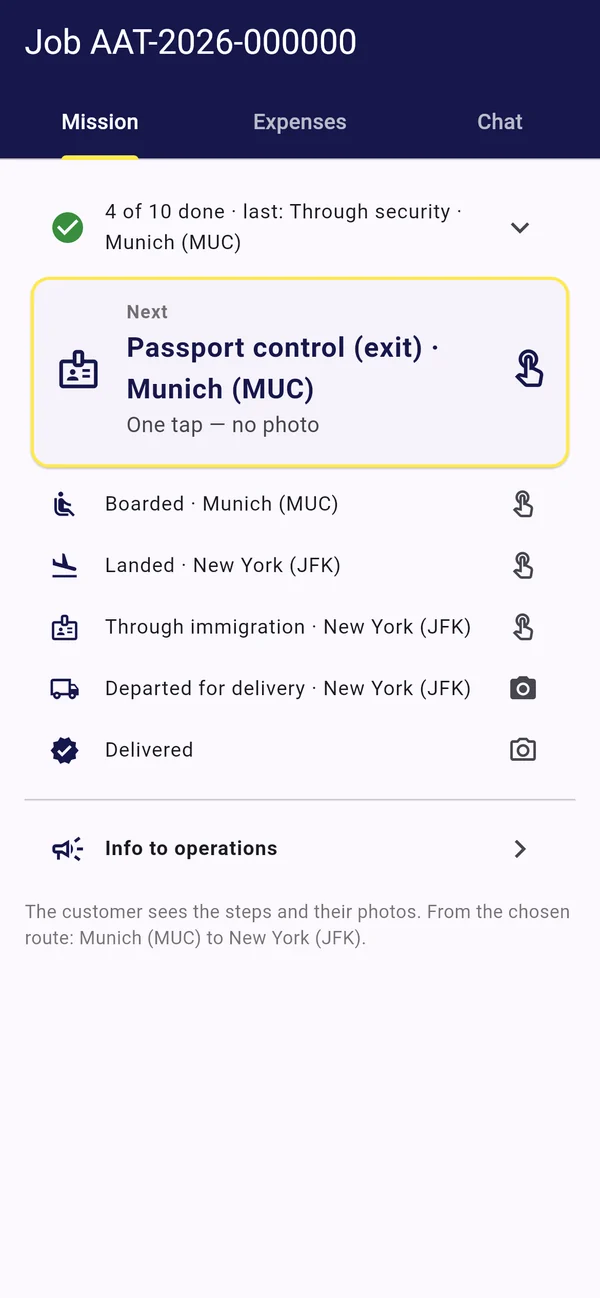
Each job is a list of steps taken from its planned route: goods received at pickup, departure to the airport, security, passport control, boarding, landing, immigration, departure for delivery and delivery. The next step is always on top. Where a step needs a photo, such as the shipment as it came off the baggage belt, the app asks for it. The customer sees the recorded steps and their photos in the customer portal; the courier's own location is not shown to customers.
Travel and navigation
Flights appear with their flight number, booking reference and e-ticket number, each copied with one tap, and hotel and rental car bookings with their dates. For each drive, whether to the pickup, to the airport or to the delivery, the app hands the address to the navigation app of the courier's choice.
How the shipment travels
At the departure airport, the courier records whether the shipment travels as hand luggage or as checked baggage, with a photo of the bag tags for checked pieces. For temperature-controlled shipments, the app shows the required range in both units, for example 2–8 °C (36–46 °F), and records each reading with a photo of the display.
Signatures at pickup and delivery
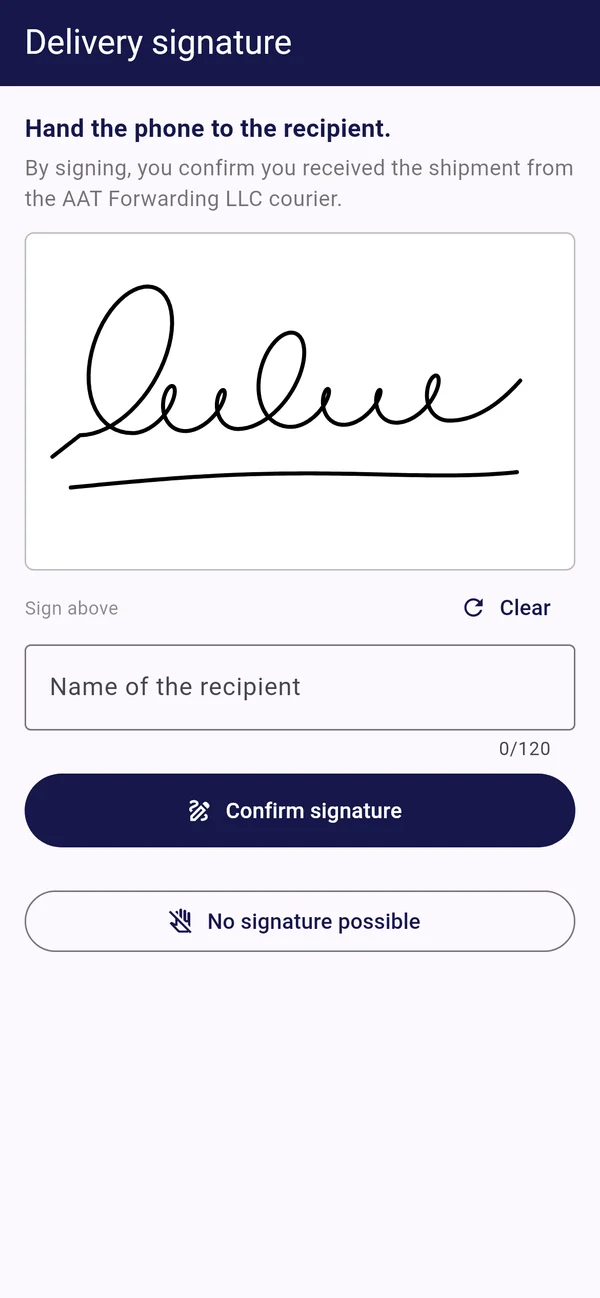
At the pickup and at the delivery, the person handing over or receiving the shipment signs on the courier's phone and types their name. Where no signature is possible, the courier records the reason and a photo of the handover instead.
Expenses, chat and notifications
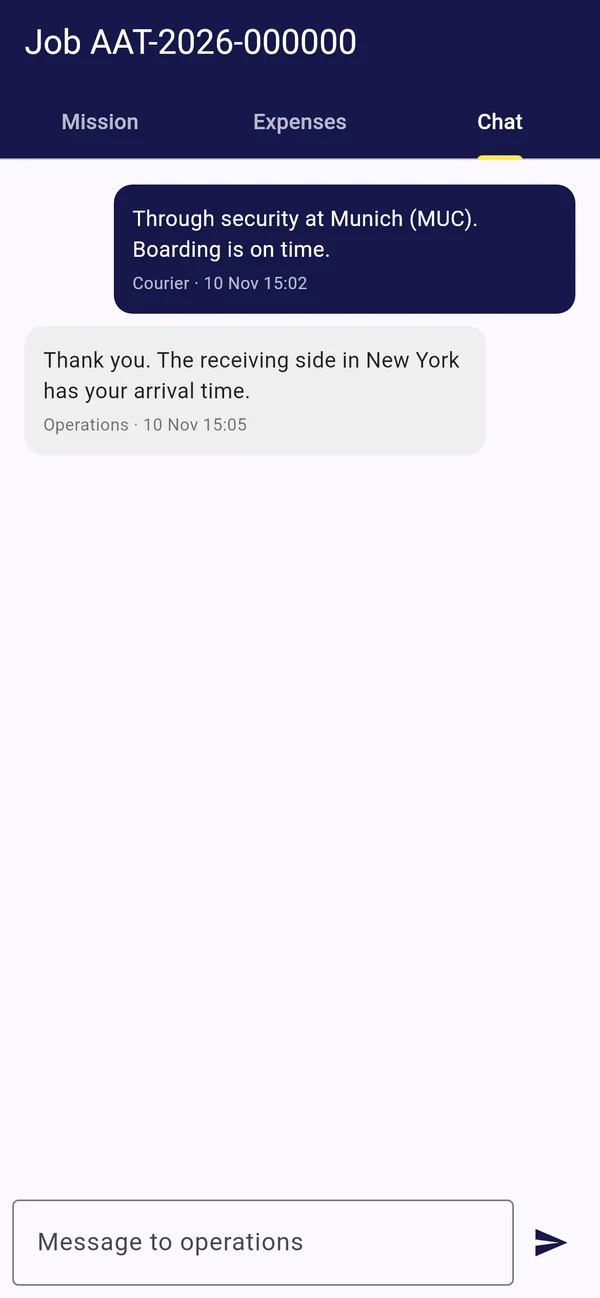
Expenses on a job are recorded with a photo of the receipt and go to operations for approval. Each job has its own chat with operations, and push notifications announce new job offers, messages and changes to a job. Couriers sign in with the same e-mail address or courier number and password as in the Courier Portal; on the phone, a PIN or Face ID, Touch ID or fingerprint protects the app.
What comes next
Everything described here exists in the current test version and is being tested: on iPhone now, on Android as its version follows. AAT Forwarding LLC will inform the couriers in its network when the app becomes available to them. Until then, registration and documents remain in the Courier Portal. If you would like to join, read Join Our Global On-Board Courier Network.
Next step
Ready to register?
Register in the Courier Portal and upload your passport. A person at AAT Forwarding LLC checks your documents before activation.
courier.aatforwarding.com